Product Image Size Requirements for Etsy, Amazon & Shopify

Product image size requirements differ on every marketplace you sell through, which is why sellers end up with folders named “amazon-final-v3” and a quiet dread of listing day. The requirements aren’t complicated individually. Managing three sets at once is what turns a good photo into an afternoon of exports.
So this guide inverts the usual approach. Instead of listing each platform’s specs and leaving you to reconcile them, it starts with the single master file that satisfies all three, then covers where each platform genuinely diverges and why. Shoot once, export three times, list everywhere.
The one master file that works everywhere
Here’s the specification worth memorizing:
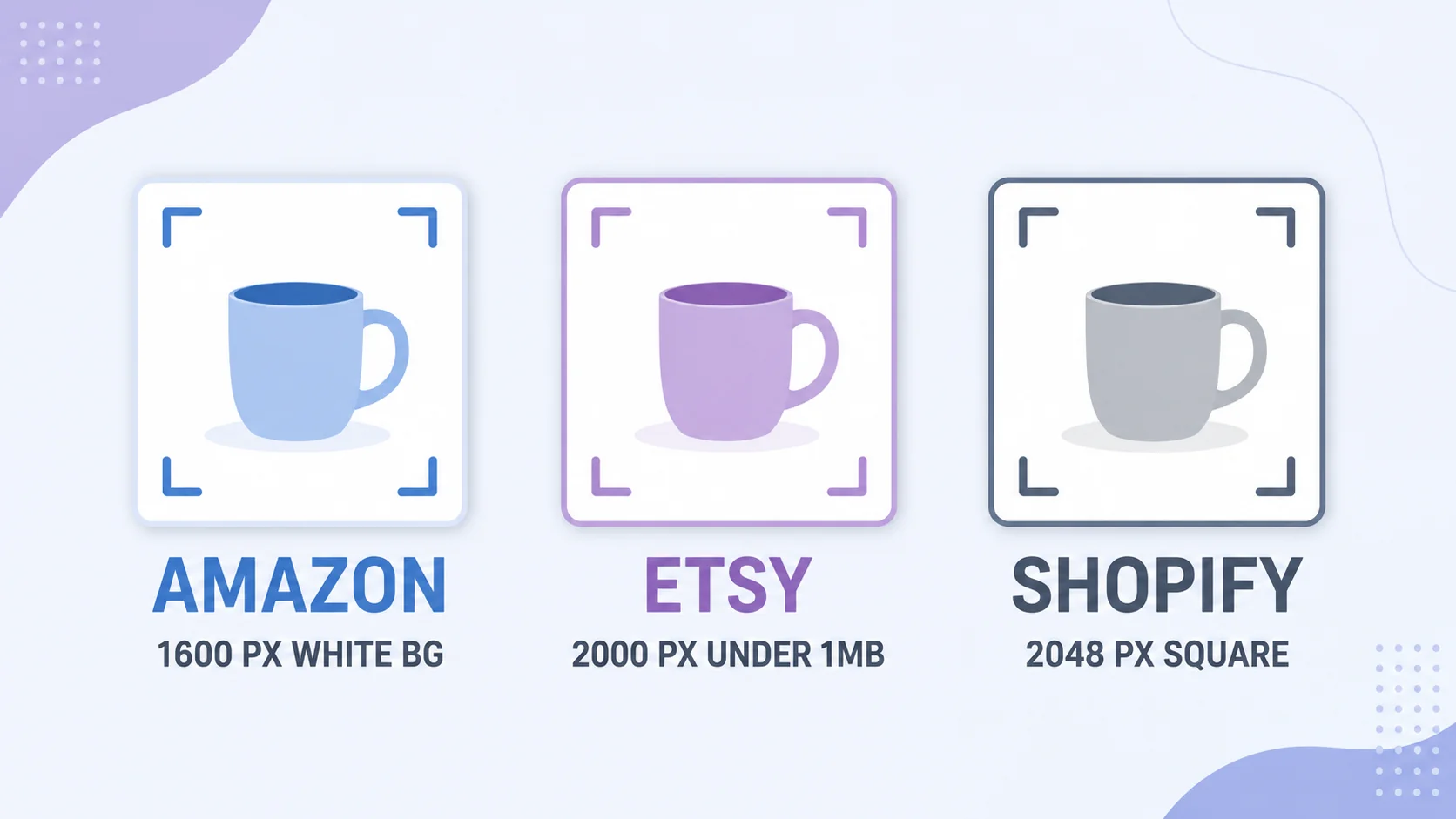
That file clears Amazon’s requirements outright, satisfies Etsy’s zoom threshold, sits comfortably above Shopify’s recommendation, and is accepted on eBay, Walmart, TikTok Shop, and essentially every resale app. It works because it’s built to the strictest constraints in the set: Amazon’s white-background rule and Etsy’s resolution floor. Meet the strictest platform, and the rest are automatically satisfied.
Which is also why the exceptions matter, because two of the three platforms let you do more once the main image is safe.
Amazon: the strictest, and the least forgiving
Amazon’s main image rules are enforced, not suggested, and a listing that breaks them can be suppressed:
- Minimum 1000 × 1000 px for zoom to work; 1600 × 1600 or larger is the practical target for crisp zoom on modern screens. The longest side can go up to 10,000 px.
- Pure white background, RGB 255,255,255 exactly. Not off-white, not light grey, not a subtle gradient. Amazon’s checks are literal.
- Product fills at least 85% of the frame, with no props, no text, no logos, no watermarks on the main image.
- Max 10 MB per file; JPG preferred. Amazon’s Seller Central image guidelines are the authoritative source if a category has extra rules.
The freedom comes after image one. Secondary images (lifestyle shots, scale references, detail crops, infographics with text) can use any background, and they’re where conversion actually happens. Treat the main image as compliance and the rest as selling.
Etsy: the highest resolution bar, the most creative freedom
Etsy inverts Amazon’s trade-off. There’s no white background requirement, which suits handmade and vintage listings where styling is part of the product’s story. But the resolution bar is the highest of the three:
- Minimum 2000 px on the shortest side for the zoom feature; square 2000 × 2000 is the most versatile shape across Etsy’s layouts.
- Under 1 MB per file for reliable uploads, which is the constraint most sellers trip over: high resolution and small file size at the same time means compressing properly rather than exporting at maximum quality.
- sRGB color, or colors shift when Etsy processes the image.
That 2000 px minimum plus 1 MB ceiling is exactly the case for compressing to a target rather than eyeballing quality; our guide on compressing images properly covers hitting a number without visible damage.
Shopify: your store, your rules (mostly)
On your own Shopify store nobody rejects your listing, which sounds freeing until inconsistent images make a storefront look amateur. Shopify recommends 2048 × 2048 px square for best quality across themes, and square matters more here than anywhere: Shopify themes crop product images to a uniform aspect ratio, so mixing portrait and landscape shots produces a grid where products sit at different apparent sizes.
Two practical notes. Shopify serves WebP automatically to browsers that support it, so upload quality JPGs and let the platform optimize delivery rather than pre-converting. And the maximum is 20 MB per image, which you should never approach: oversized product images are one of the most common causes of slow storefronts, and store speed correlates directly with conversion.
Product image size requirements side by side
|
Amazon |
Etsy |
Shopify |
|
|
Recommended size |
1600 × 1600+ |
2000 × 2000 |
2048 × 2048 |
|
Minimum |
1000 × 1000 |
2000 px short side |
No hard minimum |
|
Shape |
Square |
Square preferred |
Square (theme consistency) |
|
Background |
Pure white (main image) |
Any |
Any (be consistent) |
|
Max file size |
10 MB |
1 MB |
20 MB |
|
Format |
JPG preferred |
JPG or PNG |
JPG (auto-WebP served) |
|
Text/watermarks |
Banned on main image |
Allowed |
Allowed |
The shoot-once workflow
- Shoot square and large. Frame with room around the product so you can crop to exactly 85% fill later without losing edges. Shoot on white if Amazon is in your plans; adding a background is harder than having one.
- Edit and archive one master. Colors corrected, background clean, square crop, 3000 px or larger. This file never goes to a marketplace; it’s what every export comes from.
- Export three copies. 2000 × 2000 for the universal file, then any platform-specific variants you need. Resizing down from the master keeps every copy sharp.
- Compress to each platform’s ceiling. Etsy’s 1 MB is the binding constraint; hit that and the others are comfortable.
- Check on a phone before listing. Most shoppers are on mobile, where your image appears at a few hundred pixels. If the product doesn’t read instantly at that size, re-crop tighter.
Resize product photos to exact specs, free
Set 2000 × 2000, export sharp, hit every marketplace’s requirements. In your browser.
Try the ArtsFlick Image ResizerGetting a true white background without a studio
Since Amazon’s white rule causes more rejections than everything else combined, it’s worth solving properly. You don’t need a lightbox, but you do need to stop trusting your eyes: a background that looks white on your screen is frequently RGB 240-ish with a blue cast from daylight.
- Shoot on white paper with a curve. A sheet of matte white card bent from table to wall (a “sweep”) removes the seam line that makes cheap product photos look cheap. Poster board costs almost nothing and lasts months.
- Light from two sides, or one big window. Even light means fewer shadows on the background to correct later. Direct sun creates hard shadows; overcast daylight is ideal.
- Overexpose slightly. Shooting a stop brighter pushes the background closer to true white while keeping product detail, and it’s easier than lifting it afterward.
- Verify with a color picker. This is the step almost nobody does. Open the file in any editor, sample the background, and check it reads 255, 255, 255. If it says 248 or 251, brighten the whites until it doesn’t.
Sellers with more than a handful of products often skip all of this by shooting on any clean background and removing it afterward, then placing the product on a generated pure-white layer. Either route works; what matters is the color picker confirming the result before you upload.
Why listings get rejected (and how to avoid it)
Upscaled small photos. A 600 px phone photo enlarged to 2000 px looks soft and cheap next to competitors. Shoot bigger; enlarging has hard limits.
Off-white backgrounds on Amazon. “Looks white” isn’t white. If the background was shot in daylight it’s probably slightly blue or grey; correct it to true 255 before uploading.
Etsy uploads that fail or blur. Almost always the 1 MB ceiling: either the file is rejected, or a seller downsizes resolution to fit and loses the zoom feature. Compress instead of shrinking.
Mixed aspect ratios in one store. Themes crop to a uniform shape, so non-square images get chopped inconsistently. Square everything.
Text and badges on Amazon’s main image. “Best seller”, “Free shipping”, size labels: all violations on image one, all fine on secondary images.