How to Spot AI Generated Images (When Detectors Can’t)
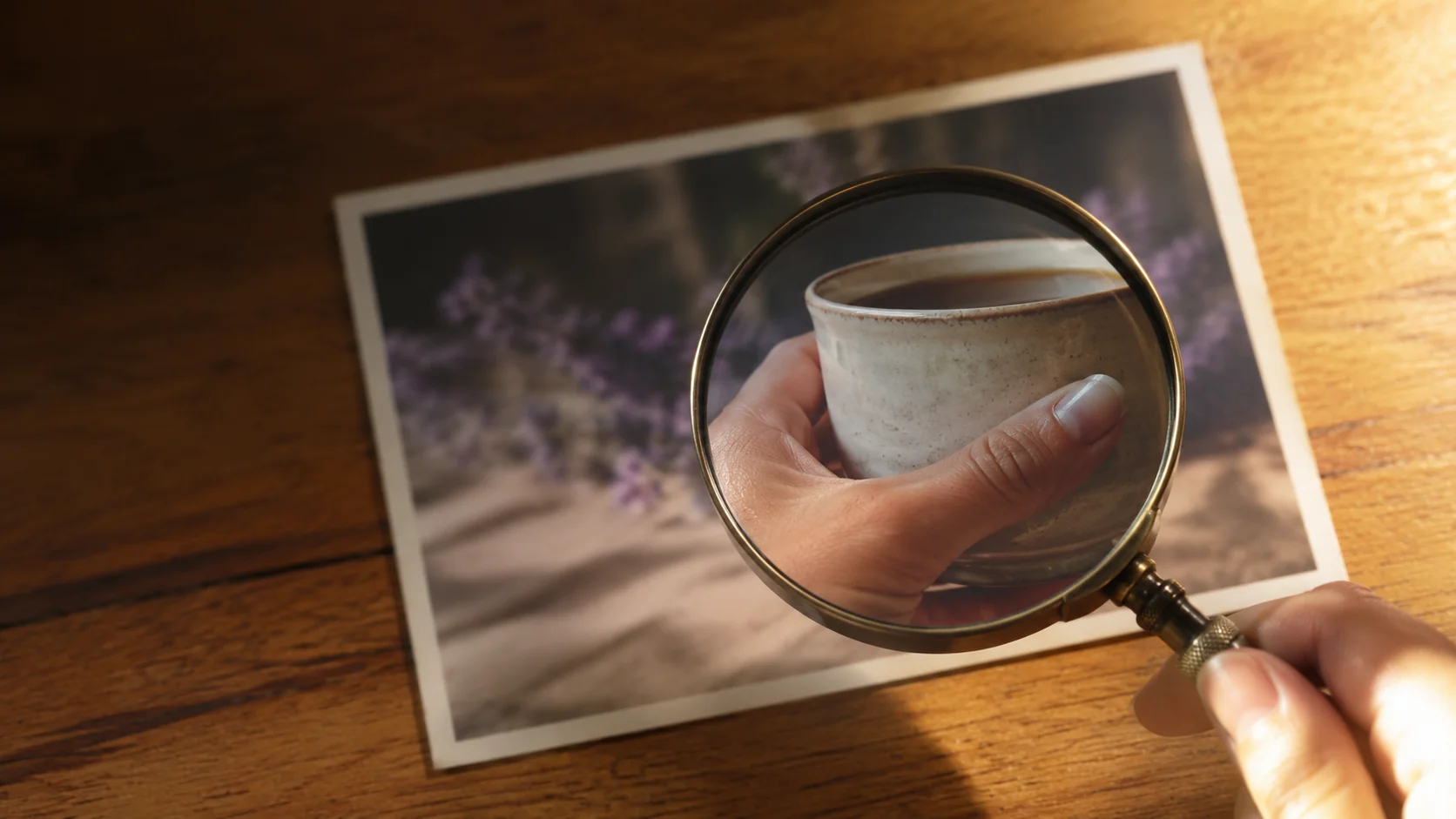
Trying to spot AI generated images has become genuinely difficult, and most advice about it is a year out of date. The six-fingered hands and melted faces that made 2023 output obvious are largely gone. What replaced them is subtler, and the tools that promise to detect it are far less reliable than their marketing suggests.
This guide covers what actually works in 2026: why detector tools are close to useless, which visual checks still earn their place, and the provenance data that answers the question properly instead of guessing at it. It’s written for people who need to know rather than people making images: buyers checking a listing, recruiters checking a portfolio, anyone deciding whether a photograph is evidence of anything.
Why AI detector tools fail
Start with the uncomfortable number. Independent testing puts automated detector accuracy at roughly 18 to 30% against current-generation models. That isn’t a passing grade with room to improve; against a binary question it’s worse than a coin flip, and it fails in both directions.
False negatives let generated images through as authentic. False positives, which get discussed far less, flag real photographs as fake, and that’s the more damaging error. A photographer whose genuine work gets labelled AI by a confident-looking tool has a reputational problem created entirely by software that guessed.
The reason is structural rather than fixable. Detectors are trained on the outputs of models that existed when they were built, while generators keep changing. Every new model release resets the detector’s knowledge, which is why accuracy keeps degrading no matter how many are launched.
Visual checks that still spot AI generated images
Manual inspection outperforms detection tools, which is an odd sentence to write in 2026 but holds up. Zoom in and check these, roughly in order of reliability.
Text you didn’t expect
Still the fastest tell. Look at background signage, book spines, license plates, product labels, and screens within the image. Models are now good at rendering short text they were asked for, and consistently poor at incidental lettering nobody prompted. Letters that almost form words are the signature.
Reflections that disagree
Underused and very reliable. In a real photograph, the catchlights in both eyes reflect the same light source: same shape, same position, same count. Generated eyes frequently disagree between left and right. Windows, glasses, water, and polished surfaces get the same treatment, since models reproduce the appearance of reflection without simulating the physics.
Hands under stress
Simple hands are usually fine now. Hands doing something are not: gripping a cup, interlocking with another hand, holding a phone at an angle. Count the fingers, check where the thumb attaches, and look at where the hand meets the object it’s holding.
Jewellery, straps, and small hardware
Watch faces with impossible hands, earrings that don’t match between ears, glasses arms that vanish behind hair and reappear in the wrong place, buckles that merge into fabric. These are small areas that receive proportionally less of the model’s attention, and it shows.
Shadows and repeating texture
Trace the shadows: they should all fall away from one light source. Two directions means two suns. Then check patterned surfaces, brick, fabric, foliage, crowds, for visible tiling where the same fragment repeats.
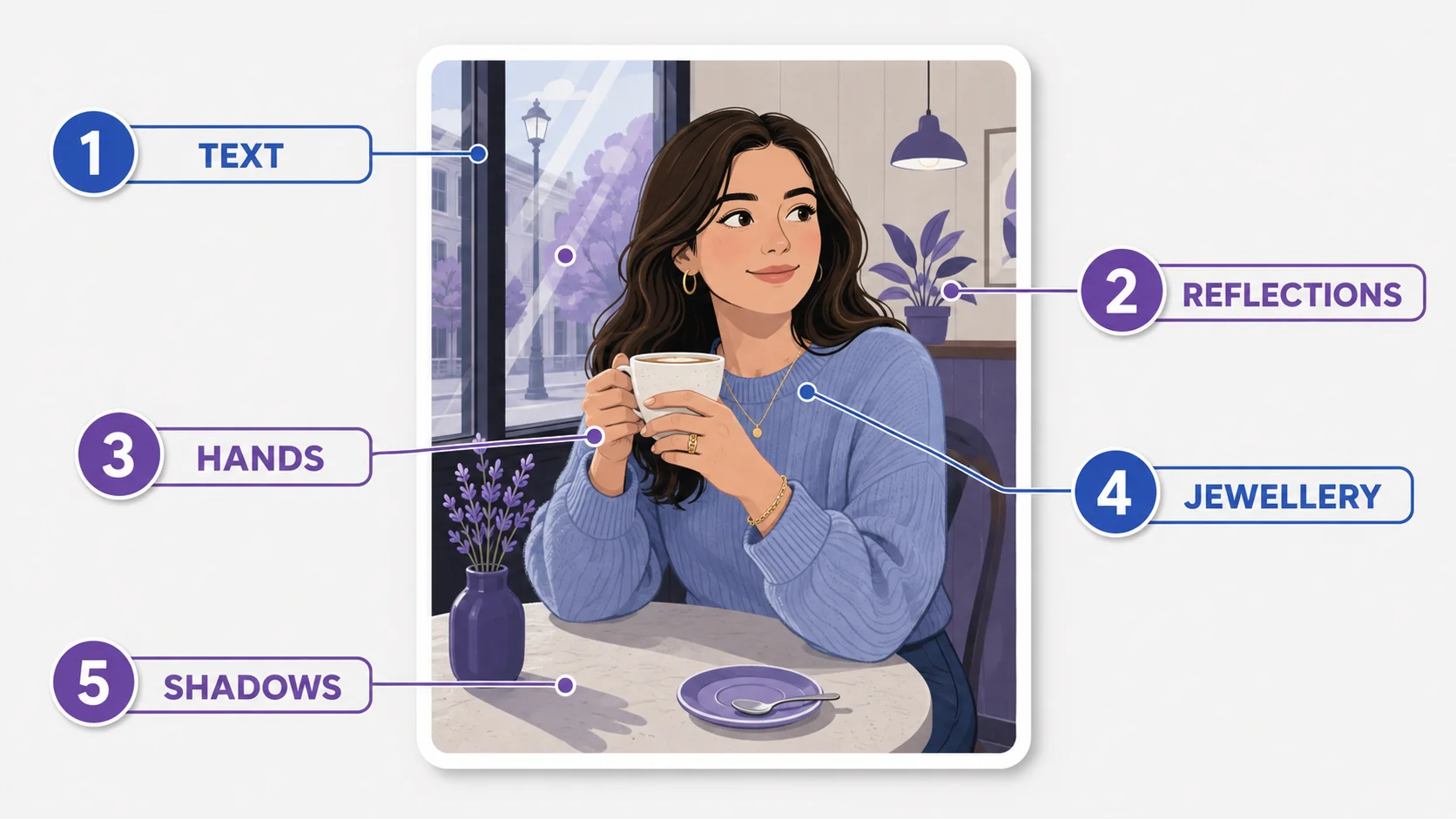
One caveat worth stating plainly: these tells are disappearing. Each one on this list was more reliable a year ago than it is today, and some will be gone within another year. Which is why the next section matters more than this one.
Provenance beats guessing
The real answer to “was this generated?” isn’t inspection at all. It’s metadata that records how the file was made, cryptographically signed at the point of creation.
The C2PA standard (Content Credentials) is the version with genuine industry adoption. Major generators embed it automatically, camera manufacturers and editing tools are adding support, and it travels inside the file rather than depending on anyone’s guess. Google’s SynthID watermarking does something similar for content from its own models, and following announcements in May 2026, Chrome and Google Search have begun surfacing these signals to users directly.
How to use it: many image tools and browser features can display Content Credentials when present, showing whether an image was generated, which model produced it, and what edits were applied afterwards. When the data is there, it settles the question definitively in a way no visual inspection can.
The gap, and it’s a real one: credentials can be stripped. Screenshot an image, or re-save it through a tool that doesn’t preserve metadata, and the provenance vanishes. So the absence of credentials proves nothing at all, while their presence is strong evidence. That asymmetry is the single most useful thing to understand about verification in 2026.
What reverse image search actually catches
Running an image through Google Lens, TinEye, or Bing Visual Search won’t tell you whether it was generated. It catches something else that’s becoming more common than wholesale fakery: real photographs with generated elements added.
If a search surfaces the same base photograph circulating elsewhere without the element in question, you’ve found manipulation rather than generation. That’s the pattern behind most misleading images now, since a composite of a real scene is more persuasive than a fully invented one, and it’s invisible to both detectors and visual inspection of the untouched parts.
A verification routine, scaled to the stakes
Not every image deserves the same scrutiny. Match the effort to what’s riding on it.
|
Situation |
What to do |
|
Casual browsing |
Nothing. It doesn’t matter. |
|
Marketplace listing before buying |
Zoom on the product’s text and hardware; reverse image search for the same photo on other listings |
|
Portfolio or a hiring decision |
Check credentials, inspect hands and reflections, reverse search a sample, and ask the person directly |
|
Dating or social profile |
Reverse image search first; it catches stolen photos more often than generated ones |
|
News or evidence of an event |
Provenance data plus original source plus corroborating coverage. Visual inspection alone is not enough |
For the middle rows, opening the image at full size and zooming to 100% is most of the work. Any editor will do it, including ours, and inspecting at actual pixels reveals the tells that vanish in a thumbnail.
Inspect any image at full size
Open, zoom to 100%, and check the details that thumbnails hide. Free, in your browser.
Open the ArtsFlick Photo EditorWhat you genuinely cannot know
An honest guide has to include this part. For a well-made image from a current model, with credentials stripped and no reverse-search matches, there is often no reliable way to determine origin from the file alone. Confident claims otherwise, from tools or from people, are overstating what’s possible.
Which changes what the right question is. Instead of “is this AI?”, ask “does the source vouch for it?” A photograph from a named photographer, a publication with a corrections policy, or a seller with a returns guarantee carries accountability that no pixel-level analysis provides. Provenance in the human sense outlives provenance in the metadata sense.
And if you’re publishing rather than verifying, the same logic runs in reverse: keep your credentials intact, say when something is generated, and let your images be checkable. As we covered in our look at why imperfect images are winning, verifiable authenticity is becoming the scarcer asset.